Process building
The process is the central component within Integration.
It is a graphical representation of the path that a document takes from the point at which it is received or retrieved to the point at which it is sent to one or more destinations.
When using Integration, you can:
-
Use an inbound connector to retrieve data from one source. The source can be an on-premise or web application, or a data source such as disk, mail, HTTP, FTP, SFTP, or database.
-
Perform various actions on that data by using execute steps, logic steps, maps, and map functions.
-
Use an outbound connector to send data to one or more destinations. The destination(s) can be an application or a data source such as disk, mail, HTTP, FTP, SFTP, or database.
The steps described above are contained in a component that is called a process.
In the image below, a process is open on the Build page. The process contains a series of steps on the canvas.
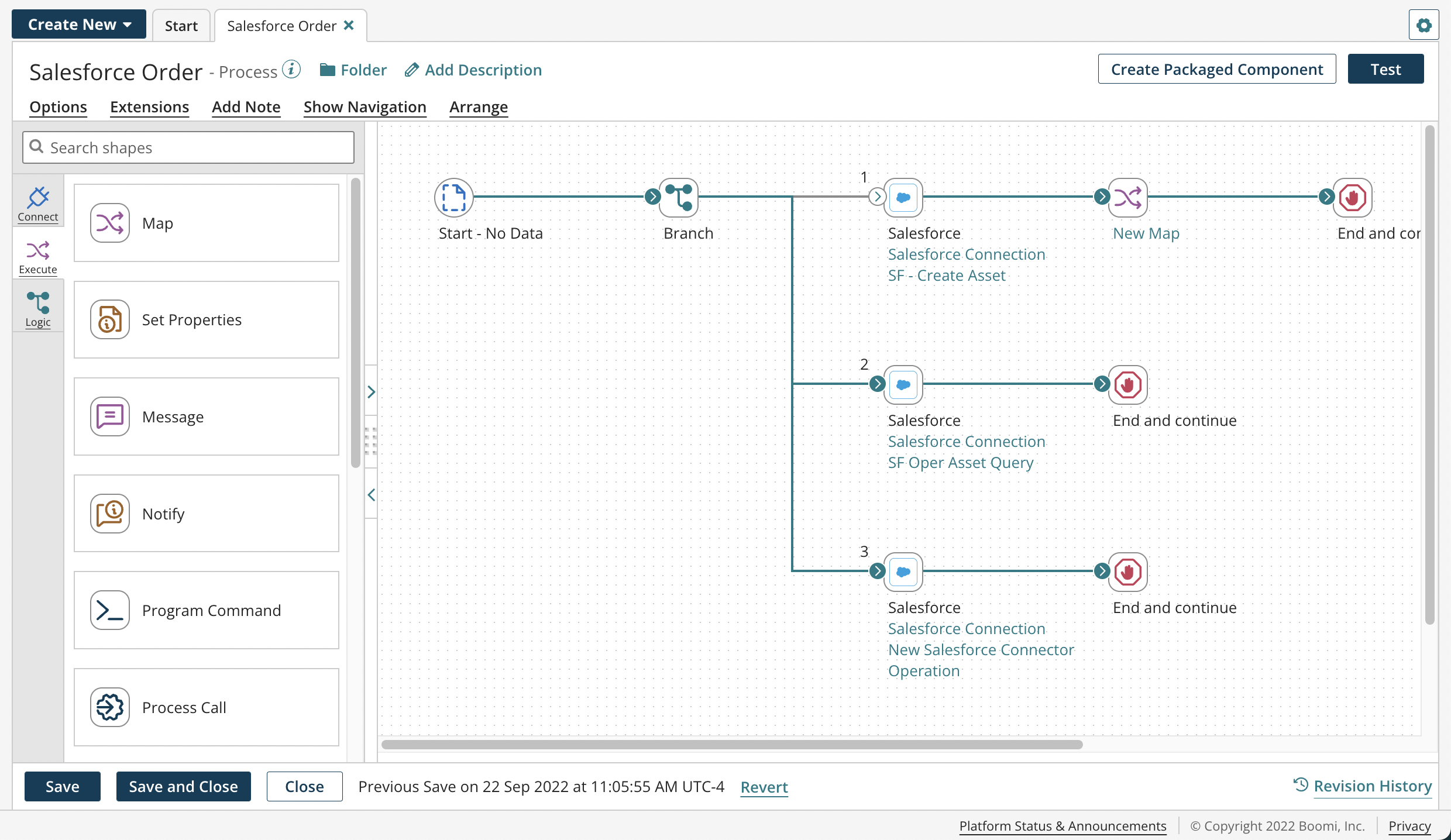
If you open a process that is too large to view, a navigation palette opens on the canvas automatically.
Every process step represents a task that can be performed on a set of documents. There are three types of steps:
-
Execute steps manipulate or transform the data
-
Logic steps control the flow of data through the process
-
Connect steps get data into the process or send data out of the process
The steps are contained in a palette to the right of the process canvas.
You can add steps to the process canvas and connect them. By connecting steps you control how the data flows within the process. Each step within the process performs a specific task on the data that is given, and in turn, can place transformed data back into the process to be manipulated by other steps further down the path.
